MiniMax H3とは何か
MiniMax H3とは、中国のAI企業 MiniMax が公開した、動画と音声をまとめて生成するモデルです。公式は「汎用のオムニモーダル生成システム」と呼んでいます。オムニモーダルとは、文字・画像・動画・音声といった種類の違う入力を区別せず、ひとつの流れとして扱うという意味です。
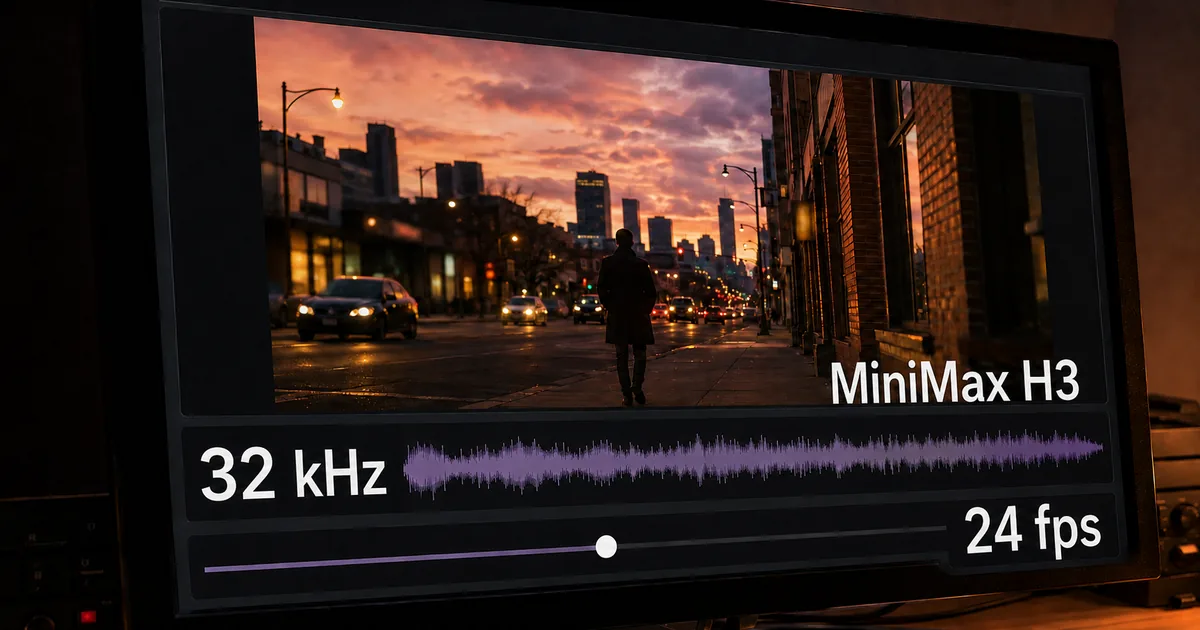
MiniMax H3 の出力仕様(公式モデルカードによる)
| 項目 | 仕様 |
|---|---|
| 出力の長さ | 4〜15秒 |
| 解像度 | 既定は短辺768px(2KはH3-Regenerate-2Kで実現) |
| フレームレート | 24fps |
| 音声 | 32kHz ステレオ |
| アスペクト比 | 21:9 / 16:9 / 4:3 / 1:1 / 3:4 / 9:16 ほか |
| 対応言語(発話) | 日本語・英語・中国語など11言語で安定動作 |
It supports unified understanding of multimodal contexts composed of text, images, video, and audio, and can generate video with native stereo audio at resolutions up to 2K and durations of up to 15 seconds. / Output duration | 4–15 seconds / Output aspect ratio | Supports a wide range of aspect ratios, including but not limited to 21:9, 16:9, 4:3, 1:1, 3:4, and 9:16 / Output resolution | Supports various resolution dimensions. The shorter side is set to 768 pixels by default. / Output frame rate | 24 FPS / Output audio | 32 kHz stereo / Supported dialogue languages | Stable support for 11 languages: Arabic, Chinese, English, French, German, Italian, Japanese, Korean, Portuguese, Russian, and Spanish. Additional languages are also supported to varying degrees — 冒頭の概要文、および出力仕様の表(長さ・アスペクト比・解像度・フレームレート・音声・対応言語の各行)より
映像と音声を別々に作って後で合わせる方式ではない
このモデルの特徴は、映像と音声を同じ流れの中で一緒に生成するところにあります。映像を作ってから音声を別工程で足すのではなく、ひとつのTransformer(文脈を丸ごと読んで次を予測する仕組み)が映像と音声の潜在表現を同時に予測し、そこから映像とステレオ音声をそれぞれ復元します。後から2つを合わせる工程が構造上いりません。
本体にあたる H3-Omni-Transformer は 330億パラメータの単一構成です。そのうち約130億パラメータは AdaLN と呼ばれる調整用の枝にあり、公式によれば推論(学習済みのモデルを動かして答えを出させること)だけで使う場合はこの部分を読み込む必要がありません。文字側の理解には Qwen3-VL-32B(クウェン)の学習済み重みがそのまま使われており、その50層目の内部状態が本体へ渡されます。
なお、長い入力の計算量を抑えるスパースアテンションという仕組みは学習の最終段階で導入されているものの、今回の公開分には含まれていません。入力全体を毎回見に行くフルアテンションのみでの動作になります。
H3-Omni-Transformer is a 33B-parameter dense, single-stream Transformer, with approximately 13B parameters residing in AdaLN-related branches. Because the AdaLN modulation outputs can be precomputed and cached, these parameters do not need to be loaded for inference-only deployment. / The H3-Encoder uses the full pretrained weights of Qwen3-VL-32B and provides the hidden states from its 50th layer to the H3-Omni-Transformer. / During the final stage of training, we introduce native sparse attention to reduce the computational cost of long sequences. / The initial open-source release provides inference with full attention only. / The H3-Omni-Transformer jointly predicts video and audio latents, which are then decoded into video and stereo audio, respectively. — 本体の規模と AdaLN の扱い、テキストエンコーダの構成、スパースアテンションの導入時期と公開分の推論方式、および映像と音声を同時に予測する構成に関する記述より
画像・動画・音声を最大12ファイルまで参照させられる
公開されているのは2種類のチェックポイント(学習済みの重み一式)で、入力の与え方が異なります。
2種類のチェックポイントと入力の違い
音声だけを単独の入力にすることはできず、画像か動画と組み合わせる必要があります。参照素材を複数渡せることが、既存キャラクターや商品を登場させたい用途で効いてきます。
同じ時期に ByteDance が公開したSeedance 2.5は、参照素材の上限を画像30枚・動画10本・音声10本としています。ただしこちらは重みを公開せず、サービス上で使う形です。素材をたくさん渡せるかどうかと、手元で動かせるかどうかは別の軸だと分かります。渡す前に素材の縦横比を出力比に合わせておくと、意図しない切れ方を防げます。
無料ツール画像リサイズ画像のサイズ(幅×高さ)を変更。ピクセル指定やパーセント指定に対応。今すぐ使ってみる →
Supports zero, one, or two input images. / - No image input: Text-to-video mode / - One image input: First-frame-to-video or last-frame-to-video generation / - Two image inputs: First-and-last-frame-to-video generation / Supports multi-modal reference inputs: / <strong>Images:</strong> ≤ 9 images / <strong>Videos:</strong> ≤ 3 clips; each clip must be 2–15 seconds long; total duration ≤ 15 seconds / <strong>Audio:</strong> ≤ 3 clips; audio must be accompanied by image or video input and cannot be used as the sole input; each clip must be 2–15 seconds long; total duration ≤ 15 seconds / <strong>Mixed inputs:</strong> Maximum number of files across all input types is 12 — チェックポイント別の入力仕様表のうち、H3-Base-FL2VA(First-and-last-frame mode)と H3-Base-Ref2VA(Omni-reference mode)の各行より
MiniMax H3のライセンスと使える地域
このモデルはライセンスが有効な地域が地理的に区切られています。重みを公開する(オープンウェイトの)モデルで、しかも地域を条文で限定する例はまだ多くありません。導入判断に直結する部分なので、条文を先に確認しておきます。
MiniMax H3 Community License Agreement の適用範囲
MiniMax H3 release date/License date: August 2, 2026. / The scope of this License Agreement (this "Agreement") is expressly limited to the "Applicable Territory" as defined below. / "Applicable Territory" means worldwide, excluding the Excluded Territories. / "Excluded Territories" means the European Union, the United Kingdom, the Republic of Korea and the United States of America. / "We," "Us" or "MiniMax" means Nanonoble Pte. Ltd.. — ライセンス日付、適用地域・除外地域の定義、および権利者の定義より
米国・EU・英国・韓国は対象外で、日本は対象に入る
条文は適用地域を「除外地域を除いた全世界」と定めています。除外地域は欧州連合・英国・韓国・米国の4つで、日本は含まれていません。つまり日本国内での利用は、ライセンスが想定している範囲の中に入ります。
ただし範囲外での扱いは明確に禁じられています。適用地域の外で、モデルやその出力を使ったり複製・改変・配布・表示したりすることは、この契約では認められていません。日本法人であっても、米国や欧州の拠点で動かす構成や、除外地域向けに成果物を配信する使い方は、条文の読み合わせが要ります。
You may not use, reproduce, modify, distribute, or display the MiniMax H3 Works or any of their Outputs or results outside the Applicable Territory. Any such use outside the Applicable Territory is not authorized by this Agreement. — 適用地域外での利用禁止に関する条項より
除外地域を設けた理由をMiniMaxが説明している
珍しいのは、なぜ4地域を外したのかを MiniMax 自身が文書で説明していることです。同社は理由を規制環境に置いています。動画生成モデルは、文章やコードのモデルに比べて、肖像の生成・著作権・コンテンツ安全性をめぐる規制が複雑で、しかも動き続けている。EU AI法は執行が始まっている一方で、動画や肖像を生成できるモデルへの実務上の要求はまだ固まっていない。英国と韓国にも同様の不確実性があり、米国では同社自身が生成動画AIをめぐる著作権訴訟の当事者になっている——という整理です。
そのうえで同社は、規制が固まるまで公開を待つか範囲を明示して先に出すかの二択で後者を選んだと述べ、現在の制限は「まだ」であって「今後もずっと」ではないと書いています。除外地域の組織も、申請して審査を通れば個別に許諾される可能性があるとしています。APIは全世界で使えるため、重みを持たずに試すこと自体は除外地域からでも可能です。
The current territory scope is not about excluding specific countries or regions, but about recognizing that video generation models are facing a more complex and rapidly evolving regulatory environment compared with text or code models. / The EU AI Act has started enforcement, while practical requirements for models capable of generating video and likeness-related content are still evolving. / Similar regulatory uncertainties exist in the UK and South Korea regarding AI-generated content and video generation. / In the US, AI regulation remains a rapidly changing landscape, and MiniMax is also involved in ongoing copyright-related legal proceedings specifically concerning generative video AI. / We had two options: 1. Wait until every jurisdiction reaches complete regulatory clarity before releasing open weights, which could take a long time while AI technology continues to evolve. 2. Release the model now with a transparent license scope, while continuing to evaluate and expand availability. We chose the second approach. / The current limitation means "not yet", not "not ever." / API: Globally available with built-in safeguards and responsible-use controls. / Organizations in these regions can apply for a formal license. / After reviewing the deployment scenario and confirming that appropriate compliance controls and safeguards are implemented, MiniMax may authorize usage. — 適用地域を限定した理由、二択のうち後者を選んだ経緯、APIの提供範囲、および除外地域の組織による申請に関する説明より
商用利用は可能だが、売上規模と画面表示に条件がつく
商用利用そのものは認められています。ただし条件が2つあります。1つは売上の線引きで、商用の製品・サービスが年間2,000万米ドルを超える売上を生む場合、MiniMax から事前に書面での個別許諾を得る必要があります。問い合わせ先と件名まで条文に指定されています。
もう1つが表示義務です。H3を使った商用の製品・サービスでは、その画面に「MiniMax H3」を目立つ形で出さなければなりません。裏側で使うだけで表に出さない、という運用は条文に反します。生成物に出所を示す仕組みが求められる流れは、NVIDIAの合成動画検出ツールのような取り組みとも地続きです。
You shall obtain a separate, prior written authorization from MiniMax by contacting api@minimax.io with the subject line "MiniMax H3 licensing - authorization request", if your commercial products and services generate more than 20 million US dollars (or equivalent in other currencies) in yearly revenue. / You shall prominently display "MiniMax H3"on the user interface of commercial product or service that uses MiniMax H3 or MiniMax H3 Works. — 追加の商用条件に定められた売上基準と表示義務より
MiniMax H3の動かし方と未公開の部分
重みが手に入るとはいえ、公開分だけで公式デモと同じ品質が出るわけではありません。ここを誤解したまま検証すると、期待とのずれが出ます。
3つのモジュールと公開状況
MiniMax H3で未公開なのは入口と出口の2モジュール
公開されたのは真ん中の H3-Base だけです。入口にあたる H3-Context-IR は、複数のホスト型モデルとサービスを使う多段構成のため公開対象から外れています。公式はこのモジュールが最終品質を左右すると明言し、APIを使うか、プロンプト作成ガイドに沿って自前の前処理を組むよう案内しています。
出口の H3-Regenerate-2K も未公開です。これは画素を機械的に引き伸ばす通常の超解像(低解像度の映像を高解像度に変換する処理)ではなく、768pの結果と元の文脈をもう一度モデルに入れて2Kで作り直す仕組みです。小さな文字や細部を推測ではなく文脈から復元できる、という説明がされています。準備ができ次第公開するとされていますが、現時点でローカルだけで完結するのは768pまでです。
Because H3-Context-IR relies on a multi-stage workflow and multiple hosted models and services, it is not included in this open-source release. We provide an API that enables users to reproduce the behavior of the official workflow. / H3-Context-IR is critical to the quality of the final output, so we strongly recommend incorporating it into your generation pipeline or following the "Prompting Guidance" to build your own context-processing system. / instead of using a conventional dedicated super-resolution module, we use the H3 base model to regenerate its own low-resolution result through an in-context manner. / allowing it to recover information that conventional super-resolution methods would otherwise have to "guess," such as small text and fine details / Due to the complexity of the system, this module is not yet open-sourced. We will release it once it is ready. — 未公開モジュールの理由、品質への影響、および2K化が通常の超解像とは異なる仕組みである点に関する記述より
MiniMax H3はSGLang・vLLM・diffusers・ComfyUIで動かせる
動かす側の環境は広く用意されています。公式が推奨として挙げているのは SGLang(エスジーラング)・vLLM・diffusers(ディフューザーズ)・ComfyUI(コンフィUI)の4つで、いずれも公式ドキュメントや手順への案内がモデルカードから張られています。画面上でノードをつないで組み立てる ComfyUI には、公式チュートリアルとワークフローの雛形2種が用意されているため、コードを書かずに試す経路もあります。
重みは2つのチェックポイントに分かれており、必要な側だけを落とす指定ができます。数値の精度はいずれも BF16(16ビットで数値を持つ省メモリ形式)で、生成の手数を減らす CFG蒸留を済ませた重みが配布されています。
MiniMax H3 is released as two task-specific checkpoints. / Video and audio|BF16 / scope the download to what your framework needs / We recommend the following inference frameworks to serve the model: / [ComfyUI](https://github.com/Comfy-Org/ComfyUI) - see [Comfy tutorial](https://docs.comfy.org/tutorials/video/minimax/minimax-h3); use [R2V template](https://github.com/Comfy-Org/workflow_templates/blob/main/templates/video_minimax_h3_r2v.json) / [T2V template](https://github.com/Comfy-Org/workflow_templates/blob/main/templates/video_minimax_h3_t2v.json) / The released checkpoints are CFG-distilled Omni Transformer model weights. — チェックポイントの構成、チェックポイント表の Precision 列(2行とも BF16)、ダウンロード範囲の指定、推奨する推論フレームワークの一覧(ComfyUI の行を含む)、および配布される重みの性質に関する記述より
まとめ:MiniMax H3をどう位置づけるか
MiniMax H3 の要点は2つです。ひとつは音声つきの映像を単一のモデルで同時に作るという設計で、これは映像と音声を別々に作って合わせる従来の流れとは前提が違います。もうひとつが地域を区切ったライセンスで、米国・EU・英国・韓国を外したことは、オープンウェイトの配布が規制の側から線を引かれ始めたことを示しています。日本が適用地域に入っているのは、その線の内側にいるという意味でもあります。
検証を始めるなら、まず公開分の H3-Base で768pの出力を確かめるところからになります。公式デモの2K品質は未公開モジュールを前提にしているため、そこを混同しないでおくと結果を正しく読めます。商用に載せるなら、年商基準と画面表示の義務を先に社内で確認しておくと後戻りがありません。
重みを公開する形の生成AIがどこまで実務に耐えるかという論点は、文章側でも同じように議論されています。GLM-5.2やDeepSeek V4-Flash 0731の解説もあわせてご覧ください。