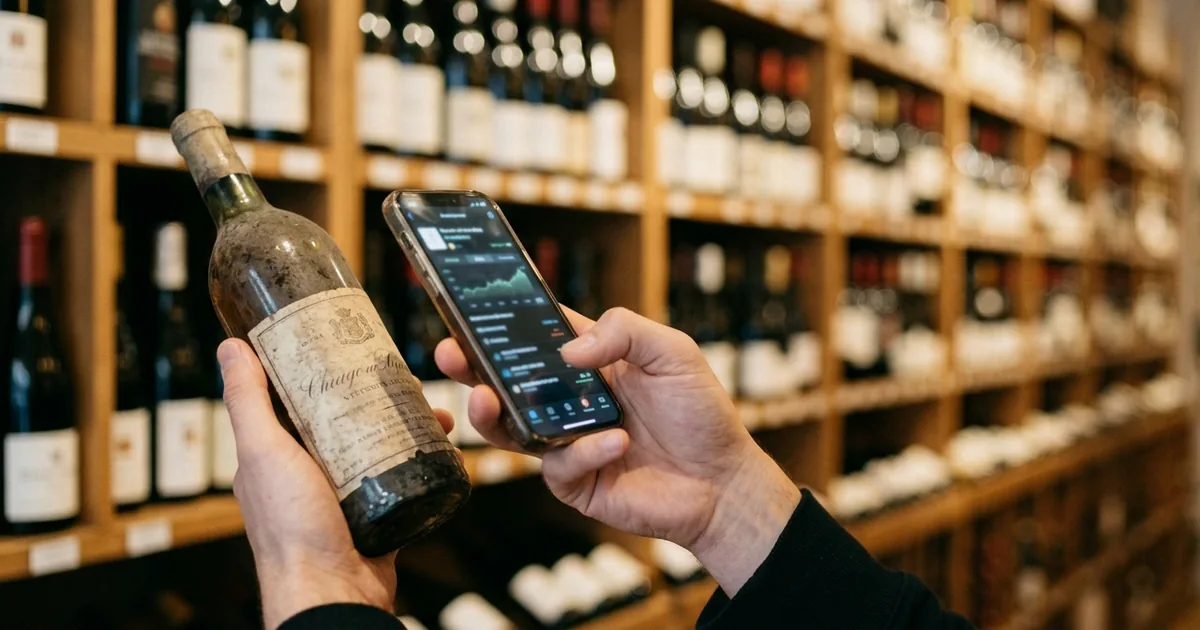
CellarTrackerとは|世界最大級のワインデータベース
CellarTrackerは、ユーザーが持ち寄って育ててきた巨大なワインデータベースの上に、自分のセラーの在庫と飲んだ記録を積み上げていくサービスです。2003年に始まり、Webサイトが先、スマートフォンアプリは後から加わった、という成り立ちがそのまま使い勝手にも表れています。
この章の全体像
飲んだワインと保管中のワインを両方記録する
CellarTrackerの位置づけは、公式サポートに端的に書かれています。
CellarTracker is a tool that you can use to track the wines you have tasted as well as the wines you are storing.
CellarTracker is a tool that you can use to track the wines you have tasted as well as the wines you are storing. It provides numerous fields to let you track as little or as much data as you want about your wine collection and tasting history. — サービスの定義(冒頭段落)より
飲んだ記録と、まだ手元にある在庫を1つの場所で扱えるのがCellarTrackerの基本設計です。 記録する項目は細かく用意されていて、どこまで埋めるかは使う人が決められます。
中核にあるのはユーザーが育てた共有データベース
CellarTrackerの操作は、ほとんどがデータベースの検索から始まります。他のユーザーが登録した銘柄をそのまま呼び出せるため、自分でスペックを打ち込む手間がありません。
At the core of CellarTracker is a very comprehensive database of more than 3 million wines.
At the core of CellarTracker is a very comprehensive database of more than 3 million wines. Generally speaking, most wine enthusiasts will find about 99% coverage using the existing wine database. — 共有データベースの説明より
なお、この記述は2021年更新のページのもので、別の公式ページでは450万本以上と説明されています。数値は年々増えているため、記事中の本数は目安として読むのが妥当です。
「探すアプリ」ではなく「管理するアプリ」
ラベルを撮って評価を調べるVivinoのようなアプリと混同されがちですが、CellarTrackerの主役は手元の在庫です。買った1本を登録し、飲んだら在庫から落としてノートを残す、という往復が使い方の中心になります。
そのため、まだ数本しか持っていない段階では持て余します。30本を超えて「何を持っていたか」が怪しくなってきたあたりから、記録の価値が急に立ち上がってくるタイプのサービスです。
日本語には対応していない|それでも使えるか
日本の読者にとって最初に確かめたいのは、日本語で使えるかどうかです。ここは公式の掲載情報ではっきりしています。
日本語対応の実際
App Storeの言語欄は「英語」のみ
日本のApp Storeで公開されている情報欄には、対応言語が1つしか並んでいません。
言語 英語
言語 英語 — アプリ情報テーブルの「言語」行より
アプリの説明文自体も、日本のストアで英語のまま表示されます。画面の項目名もメニューもすべて英語である前提で導入を判断する必要があります。
Google Playの説明文だけ日本語という紛らわしさ
一方、Google Playの日本語ページでは説明文が日本語で表示されます。
CellarTrackerは、5つ星中4.9の評価、1,360万件以上のワイン評価とレビュー、そして世界中で880万人以上のユーザーを誇る、最高評価のワインアプリです。
CellarTrackerは、5つ星中4.9の評価、1,360万件以上のワイン評価とレビュー、そして世界中で880万人以上のユーザーを誇る、最高評価のワインアプリです。 — ストア説明文の冒頭より
ここを見て「日本語対応済み」と受け取ると、入れてから戸惑います。日本語なのはストアの紹介文であって、アプリの画面ではありません。なお、この説明文にある評価やユーザー数はCellarTracker自身が掲げている数値で、実際のストア評価は日本のApp Storeで4.8(評価件数18件)、Google Playで4.4(2,800件)と別の数字になっています。
検索は「打つ文字を最小限に」が公式の作法
英語であっても操作の負担が小さいのは、入力の中心が検索だからです。ここで日本人がつまずきやすいのが、正式名称を全部打ち込もうとしてしまう点です。公式は逆を推奨しています。
It is most efficient to type as little as possible, just the first few characters of the critical words (e.g. the name of a winery, the variety, the appellation, the vineyard)
All wine-related actions on CellarTracker begin with searching the database. It is most efficient to type as little as possible, just the first few characters of the critical words (e.g. the name of a winery, the variety, the appellation, the vineyard), so that you are most likely to find and match an existing wine. — 検索の作法についての説明より
生産者名の頭の数文字だけを打って候補から選ぶ、という進め方が公式の想定です。データベースは英語表記で共有されているため、日本語の銘柄名では引けない点は最初に織り込んでおくところです。
CellarTrackerの使い方|ボトルを登録する4つの方法
登録の手間が続くかどうかが、この種のサービスを使い続けられるかを分けます。CellarTrackerには入り口が4つ用意されています。
ボトルを登録する流れ
登録の入り口は4通り
アプリからボトルを追加する方法について、公式は3つを挙げ、これに加えてレシートのメール転送を案内しています。
There are three different ways to add bottles to you cellar via mobile app. You can use search, label image, or scan barcode.
There are three different ways to add bottles to you cellar via mobile app. You can use search, label image, or scan barcode. — モバイルアプリからの追加方法より
まとめ買いをしたときに効くのがレシートの転送です。購入時のレシートメールを転送しておくと、あとからパソコンで取り込みを仕上げられます。
You can forward wine purchase receipt emails using any device (mobile or desktop). Once receipts are forwarded, you can use the desktop app to finalize the upload.
You can forward wine purchase receipt emails using any device (mobile or desktop). Once receipts are forwarded, you can use the desktop app to finalize the upload. — レシート経由での追加より
ラベル撮影は万能ではない
ラベル撮影は手軽ですが、常に正しい1本にたどり着くわけではありません。公式も認めています。
Sometimes, we won't get it exactly right
When searching by label, the app attempts to automatically identify the wine, and search CellarTracker's vast database to find the correct match. Sometimes, we won't get it exactly right – and in those cases, we've tried to make it easy for you to get to the right one quickly and easily. — ラベル検索の仕組みより
同じ銘柄でもヴィンテージ違いが並ぶため、撮影後に年号を確かめて選び直す前提で使うと取り違えが減ります。
保管場所と区画を先に決めておく
CellarTrackerには保管場所(Location)と、その中の区画(Bin)という考え方があります。ここを埋めておくと、あとで「どこに入れたか」を追えるようになります。逆に、後から数百本ぶんの置き場所を思い出して入力するのは現実的ではないため、登録を始める前に決めておくほうが楽です。
新しいアプリと旧アプリが並んでいる
ストアで検索すると、世代の違う2つのアプリが見つかることがあります。旧アプリは新規のダウンロードを受け付けていません。
With the launch of our new app, we are no longer investing in or accepting new downloads of the legacy app.
With the launch of our new app, we are no longer investing in or accepting new downloads of the legacy app. We plan to keep the legacy app running in parallel to the new app until the time is right to deprecate it. — 旧アプリの扱いについて
データはアカウントに紐づいているため、アプリを入れ替えても移行作業は要りません。
料金|無料の範囲と、ドル建て・円建ての違い
CellarTrackerの料金でわかりにくいのは、支払う経路によって通貨も周期も変わる点です。
無料でできること/有料で解放されること
| 機能 | 無料 | 有料 |
|---|---|---|
| セラーの在庫管理 | ○ | ○ |
| コミュニティのテイスティングノート閲覧 | ○ | ○ |
| コミュニティ評価の閲覧 | ○ | ○ |
| 市場価格・オークション価格の表示 | × | ○ |
| セラーの資産評価の自動計算 | × | ○ |
| ほぼ全銘柄をカバーする飲み頃表示 | × | ○ |
| 飲みごろアラート | × | ○ |
| バーコードラベルの印刷 | × | ○ |
在庫管理そのものは無料で本数制限なし
見落とされがちですが、在庫を記録するという中心機能は無料の範囲に入っています。
CellarTracker is a free site/app with paid subscription to access additional features. Subscription pricing is based on your cellar size.
CellarTracker is a free site/app with paid subscription to access additional features. Subscription pricing is based on your cellar size. However, you can always select a different payment amount, and there is no penalty for exceeding the cellar size for your purchased tier. — 料金体系の説明より
在庫の記録とコミュニティ評価の閲覧だけが目的なら、無料のまま使い続けられます。 有料が効いてくるのは、市場価格からセラー全体の資産額を出したい場合や、飲み頃の網羅的な表示がほしい場合です。
公式サイト経由は年額ドル、iOSアプリ内は円建て
公式サイトから支払う場合は、セラーの本数に応じた年額です。100本までが40ドル、250本まで60ドル、500本まで80ドル、1,000本まで160ドル、2,500本まで320ドル、それ以上が500ドルという段階になっています。
一方、日本のApp Storeのアプリ内課金には、同じ段階名で円建ての価格が並びます。100本までが700円、250本まで900円、500本まで1,200円、1,000本まで2,200円、2,500本まで4,500円、それ以上が7,000円です。公式ヘルプでは、iOSのアプリ内課金は月額のサブスクリプションだと説明されています。
All payments are in US dollars. Also, in our new app on iOS (iPhone and iPad) devices we also support monthly in-app subscriptions that are managed directly by Apple.
We support all major credit cards, PayPal, Venmo, Apple Pay, and Google Pay. All payments are in US dollars. Also, in our new app on iOS (iPhone and iPad) devices we also support monthly in-app subscriptions that are managed directly by Apple. — 支払い方法についての説明より
なお、App Storeの掲載情報には課金周期の表記がないため、円建ての各項目が月額かどうかはストア側では確認できません。公式サイト経由は年額ドル建て、iOSアプリ内課金は円建てという違いがあり、同じ「100本まで」でも支払う金額の意味が変わる点は確かめてから契約するところです。
解約の導線とデータの行方
解約の窓口は、どこで契約したかで分かれます。公式サイトで契約した場合は「Manage Subscription」から更新を止めます。App Store経由の場合は、Apple側でしか解約できません。
This is not in CellarTracker app. It is in the Apple subscription management. We have no control over the subscription, so need you to cancel it with Apple directly
Please on your phone, navigate to Settings -> iCloud Profile -> Subscriptions and you should see CellarTracker and be able to cancel. Or go here on your Apple device to cancel your CellarTracker subscription. (This is not in CellarTracker app. It is in the Apple subscription management. We have no control over the subscription, so need you to cancel it with Apple directly). — Apple経由のサブスクリプション解約手順より
支払いが切れても、自分で入力したデータは残ります。ユーザーが求めない限りアカウントのデータが削除されることはない、と公式に明記されています。
まとめ
CellarTrackerは、20年以上かけてユーザーが育てた巨大なデータベースの上で、手持ちのワインを記録していくサービスです。在庫管理とコミュニティ評価の閲覧は本数制限なく無料で使えるため、まず無料のまま試して、市場価格や資産評価が必要になってから支払いを考えるのが無理のない順序になります。
一方で、アプリの表示は英語のみです。操作の中心が検索と本数入力の反復である以上、英語が壁になる場面は限られますが、日本語の銘柄名では検索できず、生産者名の頭数文字から候補を絞る作法に慣れる必要があります。日本語のまま使いたい場合や、どの棚の何段目にあるかまで記録したい場合は、別のアプリのほうが合います。
日本語で棚の位置まで管理したい場合は、無料枠でも位置管理が使える Shelvin(App Store) が選択肢になります。アプリごとの違いは「ワイン在庫管理アプリおすすめ比較|棚位置まで管理できるのは」、エクセルからの移行を考えている場合は「ワインの在庫管理をエクセルで作る方法|列の設計と限界」もあわせてご覧ください。