What Geekbench 7 Is and What Changed
Geekbench 7 basics (official figures)
When the conversation turns to how fast a phone or a computer is, a Geekbench score is usually the first number quoted. That tool has now moved to a new generation.
Definition and Supported Platforms
Geekbench 7 is the latest version of Primate Labs' cross-platform benchmark. It ships with both new and improved workloads for measuring CPU and GPU performance, and it was available on Android, iOS, Windows, macOS, and Linux from day one.
"Geekbench 7, the latest version of Primate Labs' cross-platform benchmark, has arrived and features both new and improved workloads to measure the performance of your CPUs and GPUs. Geekbench 7 is available for download today for Android, iOS, Windows, macOS, and Linux." — Geekbench Official Blog
A workload is one chunk of work the benchmark runs to measure performance. It executes something modeled on real work, such as editing a photo, compressing a file, or rendering a web page, and scores how quickly the device gets through it. Because the same ruler works on five platforms, devices as different as an iPhone and a Windows PC can be lined up side by side. Choosing hardware with generative AI in mind is also covered in the practical guide to coding with local LLMs.
Pricing (Free for Personal Use)
The barrier to trying it stays low. Personal use is free, and Primate Labs states it will remain free.
"Geekbench 7 is free (and will remain free) for personal use. Download it today and see how your devices measure up." — Geekbench Official Blog, "Launch Sale"
The paid Geekbench 7 Pro is sold on the Primate Labs Store, with 20% off until August 6 to mark the launch. The audiences Primate Labs names are enthusiasts researching an upgrade and IT professionals managing a fleet of machines.
"We're celebrating the launch with 20% off Geekbench 7 Pro on the Primate Labs Store until August 6. Whether you're a tech enthusiast researching your next upgrade or an IT professional managing a fleet of machines, there's never been a better time to find out what your hardware can really do." — Geekbench Official Blog, "Launch Sale"
If all you want is to measure the one device in front of you, the free version is enough.
Summary of Changes from Geekbench 6
Three changes stand out: new CPU workloads, the multi-core redesign, and a shift in direction on the GPU side. In the table below, "supported APIs" refers to the interfaces external software uses to call the GPU.
| Aspect | Geekbench 6 | Geekbench 7 |
|---|---|---|
| Media processing | Previous workloads | Adds AV1 encoding, Opus compression, Whisper caption generation |
| Multi-core | (not addressed officially) | Only tasks that are multi-threaded in real apps measured across cores |
| GPU focus | (not addressed officially) | Emphasis on machine learning and content creation |
| GPU APIs | OpenCL, Vulkan, Metal | OpenCL, Vulkan, Metal, CUDA |
| Games | None | Adds Game Physics based on Jolt Physics |
| Data sets | Previous sizes | Updated to larger and more varied files |
Every one of these points the same way: closer to how real applications behave. They are not changes that make numbers look bigger, but changes that make the numbers mean more.
The CPU Overhaul and AI Transcription
Main CPU workloads added
The most eye-catching CPU change is the arrival of media processing that includes AI. The new workloads match how people actually use their machines now: video calls and captioned playback.
New Media Workloads (AV1, Opus, Whisper)
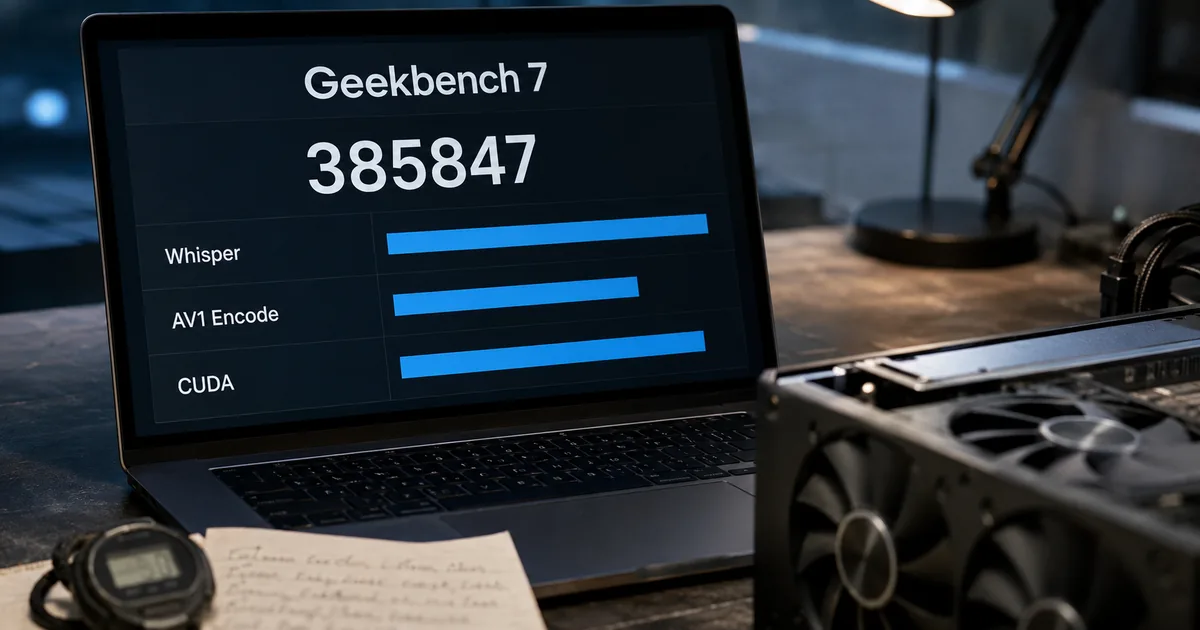
Three media tasks were added. Geekbench 7 includes new media workloads that measure how well a CPU handles audio and video encoding, decoding, and processing, modeling the work behind video conferencing, screen sharing, and everyday content consumption.
"Geekbench 7 includes new media workloads that measure how well your CPU handles audio and video encoding, decoding, and processing. The workloads model the tasks behind video conferencing, screen sharing, and everyday content consumption." — Geekbench Official Blog, "New Media Workloads"
Encoding means compressing video or audio into a storable form; decoding means turning it back into something playable. The three additions are: encoding screen-share video with the AV1 video compression format; compressing music and speech with the Opus audio format; and decoding video and audio while generating live captions with the Whisper speech recognition model.
"Decode video and audio while generating live captions with the Whisper speech recognition model, modeling video playback with automatic subtitles enabled." — Geekbench Official Blog, "New Media Workloads"
The third is the AI workload. It reproduces watching a video with automatic captions turned on: the device decodes video while transcribing speech at the same time. Now that online meetings and video watching are routine, measuring that combined load is far from academic.
Game Physics, Photo Editor, Photo Library
The changes reach beyond media. A Game Physics workload built on the Jolt Physics engine used in real games has been added, and Photo Editor was extended to reproduce a wider range of practical editing work.
Photo Library now handles the import and processing of recent image formats such as JPEG XL and DNG. JPEG XL is an image format designed as a successor to JPEG, and DNG stores raw camera data. Both reflect how often people now work directly with photos shot on a phone.
The Multi-Core Philosophy Changed
The change with the widest impact is how multi-core is measured. In Geekbench 7, a workload runs in multi-threaded mode only if the task it models actually runs multi-threaded in real applications.
"In Geekbench 7, a workload only runs in multi-threaded mode if the task it models actually runs multi-threaded in real applications. For example, the HTML5 Browser test isn't included in the multi-threaded suite because web browsers are single-threaded (or lightly threaded)." — Geekbench Official Blog, "A Smarter Multi-Core Benchmark"
The example given is the HTML5 Browser test. Web browsers are single-threaded, or only lightly threaded, so that test dropped out of the multi-threaded suite. Primate Labs' reasoning is that not every real-world task is multi-threaded, and pretending otherwise distorts scores without telling you anything useful about the device.
"Not every task in the real world is multi-threaded, and pretending otherwise distorts scores without telling you anything useful about your device." — Geekbench Official Blog, "A Smarter Multi-Core Benchmark"
The result is that a Geekbench 7 multi-core score moves away from "the theoretical total when every core is saturated" and toward "how much this device gets done on work that genuinely uses multiple cores." Numbers for CPUs with very high core counts may come out more modest than before, and correspondingly closer to what people feel.
The GPU Benchmark and CUDA Support
GPU benchmark workloads added
The GPU side changed direction entirely, moving from general-purpose compute toward machine learning and video and image production.
Machine Learning Workloads Added
Behind the change is a view that what determines GPU performance has shifted. The GPU benchmark takes a new focus on the machine learning and content creation applications that increasingly define GPU performance.
"The GPU benchmark has a new focus on the machine learning and content creation applications that increasingly define GPU performance." — Geekbench Official Blog, "A Refreshed GPU Benchmark"
Three machine-learning tasks were added: tracking faces in video and applying filter effects in real time, upscaling images with machine learning, and blurring the background in video-call footage. Each models something that exists in the wild, namely social app face filters, super-resolution in creative software, and virtual backgrounds. The design measures with features ordinary people touch daily rather than with abstract matrix math.
Editing and Rendering Workloads
Production-oriented workloads also grew. RAW processing, LUT-based color grading of video, path tracing, and fluid simulation are all new.
A LUT, or lookup table, is a conversion table that shifts the color of footage in one pass, and path tracing is a rendering technique that follows the paths of light to compute shading. The list is a run of jobs that load a GPU heavily across photography, video, and 3D. It reflects a world where GPUs can no longer be described by gaming performance alone.
CUDA Joins the Supported APIs
For anyone using an NVIDIA GPU, this is the biggest change. By popular demand, CUDA joins OpenCL, Vulkan, and Metal as a supported API in the GPU Benchmark.
"And by popular demand, CUDA joins OpenCL, Vulkan, and Metal as a supported API in the GPU Benchmark. You can now measure your NVIDIA GPU using the API that powers its most demanding applications." — Geekbench Official Blog, "A Refreshed GPU Benchmark"
CUDA is the compute platform NVIDIA provides for its own GPUs, and it is widely used by software that trains or runs AI models. Primate Labs writes that you can now measure your NVIDIA GPU using the API that powers its most demanding applications. Running AI models on your own hardware is covered in the practical guide to coding with local LLMs.
Reading the Scores, and What to Watch For
Assumptions when reading a Geekbench 7 score
Every new ruler brings the same hazard: mistaking it for the old one. Here is how to handle Geekbench 7 scores.
Why Geekbench 6 Scores Cannot Sit Beside Them
Reading 6 and 7 scores side by side does not work. The multi-core benchmark was rebuilt and the data sets being processed were updated, so the two are not the same ruler.
"The multi-core benchmark in Geekbench 7 has been redesigned to better reflect how real applications behave." — Geekbench Official Blog, "A Smarter Multi-Core Benchmark"
You cannot measure device A in Geekbench 6, device B in Geekbench 7, and declare a winner. To compare, measure both again in the same version. Score tables found online also change meaning depending on which version produced them.
The Effect of Larger Data Sets
The level of load has risen too. Since Geekbench 6 shipped, the tasks people perform have become more strenuous and the data they use larger and more demanding, so the data sets the workloads process were updated.
"Since the release of Geekbench 6, the tasks people perform have become more strenuous, and the data sets they use have grown larger and more demanding. To reflect this, we've updated the data sets the workloads process so they're more challenging for your device and better reflect the files people work with today." — Geekbench Official Blog, "Larger Data Sets"
File Compression gained an archive spanning source code, object code, and text documents, and PDF Viewer gained a range of PDFs from park maps to technical documents and academic papers. The developer and image-processing workloads picked up more assets and formats as well. Closer to the files people handle at work also means a harder test for the device.
How to Use It
If you narrow the purpose to one thing, it is deciding whether to upgrade. Compare the device you have against the model you are considering using the same Geekbench 7 scores, and the generational gap shows up as a number. The CPU single-core score maps to how responsive everyday operation feels; multi-core maps to heavy jobs such as exports and conversions.
If AI work matters to you, read the GPU score together with the API it was measured on. For running machine learning on an NVIDIA GPU, the CUDA score is the realistic figure; on a Mac, the Metal score is. Choosing hardware for running AI models locally is also covered in the guide to running local LLMs with Colibrì.
That said, a benchmark score is not the whole experience. Storage speed, thermal design, and software optimization barely register in these numbers. Geekbench 7 is a version rebuilt to track how real applications behave, but it remains one input among several.
Official blogs and release notes are often long pages you would rather read in a cleaner form. When you want to turn a web page into readable Markdown, this tool helps.