Image Tools
Compress, resize, and convert image formats — handle all your image tasks right in the browser. Your files are never uploaded to a server, so your data stays safe.
Image Tool List
PDF to JPG Converter
Turn every page of a PDF into a JPG image, at the resolution you pick. Need PNG instead? There's a separate tool for that.
PDF to WebP Converter
Convert PDF pages to WebP — roughly a third smaller than the same page as a JPG.
PDF to PNG Converter
Convert PDF pages to PNG with no quality loss — the right choice for text, charts, and anything with fine detail.
Extract Images from PDF
Pull the actual photos, charts, and logos out of a PDF at their original resolution — not screenshots of the pages.
JPG to PDF Converter
Turn phone photos and scans into one PDF. Set the order, pick a page size, done.
PNG to PDF Converter
Convert PNG screenshots and design files to PDF. Transparent areas come out white.
WebP to PDF Converter
Got a WebP that something won't open? Convert it to a PDF anything can read.
Image to PDF Converter
Mixed pile of JPG, PNG, WebP, GIF, and BMP? Put them all in one PDF, in any order.
Image Compressor
Compress JPEG, PNG, WebP, and HEIC images. Adjust quality, remove Exif data, and convert formats.
Image Resizer
Resize images to exact dimensions. Includes presets for social media covers and ID photos.
HEIC to JPG/PNG/WebP Converter
Convert iPhone HEIC photos to JPG, PNG, or WebP. Batch conversion with quality control.
WebP Converter
Convert images to WebP or WebP to JPG/PNG. Reduce file size with modern web-optimized format.
PNG ⇔ JPG Converter
Convert between PNG and JPG formats. Adjust quality and handle transparent backgrounds.
Image Cropper
Crop images with freehand selection, fixed aspect ratios, or social media presets.
Image Blur & Mosaic
Apply mosaic, blur, or black-out effects to hide sensitive areas. Brush and rectangle selection tools.
Image Fill & Paint
Fill areas and paint on images with bucket fill, brush, and eyedropper tools. Copy HEX/RGB color codes.
Background Remover
Free online background remover. Click the background color to make it transparent and save as PNG. Runs fully in your browser — your image is never sent to a server.
🔒 sakutto tools run entirely in your browser by default
Your files are generally never uploaded to a server. A few tools require external communication due to CORS constraints or third-party APIs. View Privacy Policy
Free online image tools — compress, convert, resize, and edit
The sakutto Image category covers every common image task: compress JPG/PNG/WebP, resize to a specific pixel size, convert HEIC from iPhone to JPG, convert between WebP and traditional formats, crop, blur for privacy, fill, and even bundle multiple images into a PDF. Every tool is free, requires no sign-up, and runs entirely in your browser so personal photos and business assets stay on your device.
Compress and resize images for faster websites
image-compress shrinks JPG, PNG, and WebP files while preserving quality, and image-resize scales photos to an exact pixel size. Use them to speed up your website, meet email attachment limits, or prepare images for SNS posts.
Convert between HEIC, WebP, PNG, and JPG
heic-to-jpg converts iPhone HEIC photos to JPG, webp-convert handles JPG/PNG↔WebP, and png-jpg-convert moves between PNG and JPG. Fix cross-device compatibility problems in a single click.
Crop, blur, and fill to edit and protect images
image-crop trims pictures to a chosen aspect ratio, image-blur applies mosaic or Gaussian blur to hide sensitive details, and image-fill paints over unwanted areas. These are the go-to tools when you need to mask information before posting to SNS.
How to compress images with image-compress
Oversized images slow down websites and hit email attachment limits. image-compress shrinks them in a few clicks while keeping the quality you need.
Drag and drop JPG, PNG, or WebP files to compress
Open image-compress, drop your images onto the upload area, and the tool handles the rest. The Free plan supports up to 3 files per batch, which is enough for most blog posts, email attachments, and SNS-ready exports.
Pick a compression level that matches your use case
Choose between quality-first, balanced, or smallest-size modes. Quality-first trims 10–30% with barely any visible loss, balanced cuts 30–60% for most web content, and smallest-size aggressively reduces file size by 60–80% for email-friendly outputs.
Fix image format compatibility with HEIC, WebP, PNG, and JPG converters
iPhone HEIC photos that won't open on Windows, old JPGs that waste bandwidth, PNG logos that should be smaller — image format mismatches are everywhere. sakutto's dedicated converters fix them in one click.
- Convert iPhone HEIC photos to JPG (heic-to-jpg)
- iOS 11 and newer save photos as HEIC (.heic) by default, but Windows and many web services cannot read them. heic-to-jpg converts HEIC to JPG so your images work everywhere. Batch conversion is supported so you can process a whole album at once.
- Shrink images with WebP (webp-convert)
- WebP is Google's modern image format that delivers 25–35% smaller files than JPG and about 26% smaller than PNG at similar quality. webp-convert handles both directions (JPG/PNG → WebP and back), which directly improves Core Web Vitals and LCP on your website.
- Switch between PNG and JPG (png-jpg-convert)
- Use PNG when you need transparency or crisp text, and JPG when you want smaller files for photos. png-jpg-convert moves images either way, which is handy for compressing logos, sharing screenshots, and prepping product shots for an online store.
Crop, blur, and fill images to protect private information
Before posting a photo to SNS or attaching a screenshot to an email, you often need to mask license plates, faces, addresses, or ID numbers. sakutto's crop, blur, and fill tools make that quick and painless.
- Crop an image to any size or ratio (image-crop)
- image-crop lets you trim images to square, 16:9, or a custom aspect ratio — ideal for SNS avatars, YouTube thumbnails, and hero images. The original file is never overwritten, so you can iterate freely.
- Mosaic or blur sensitive areas (image-blur)
- image-blur applies mosaic or Gaussian blur to a selected region so you can hide license plates, faces, addresses, or account numbers before sharing. Blur strength is adjustable to match how strict you need the masking to be.
- Paint over unwanted parts (image-fill)
- image-fill covers parts of an image with a solid color. It is the right choice when you want to definitively hide a logo, a background, or confidential details — more reliable than blur for truly sensitive information.
- Make a white or solid background transparent (image-background-remove)
- image-background-remove turns a white or solid-color background transparent with a single click and saves the cut-out as a transparent PNG. It is handy for whitening product photos for marketplaces and online shops, or removing the background from logos and icons. A tolerance slider and manual brush let you fix leftover or over-removed areas.
Bundle images into a PDF (JPG, PNG, WebP, and HEIC)
Combining multiple images into a single PDF is common for archiving scans, delivering portfolios, and sending image-heavy reports. sakutto offers format-specific converters plus a universal one that handles HEIC straight from iPhone.
- Combine JPG, PNG, or WebP into PDF
- jpg-to-pdf, png-to-pdf, and webp-to-pdf are format-specific tools that combine multiple images into one PDF. Use them to archive receipts, build portfolios, or package image assets for distribution.
- Convert iPhone HEIC photos directly to PDF (image-to-pdf)
- image-to-pdf is a universal tool that accepts JPG, PNG, WebP, and HEIC in the same batch — so you can turn iPhone photos into a report or invoice without a manual conversion step.
- Need PDF to image? Use pdf-to-jpg / pdf-to-png / pdf-to-webp
- When you need the opposite direction, sakutto offers pdf-to-jpg, pdf-to-png, and pdf-to-webp. They render each PDF page as a high-quality image, perfect for thumbnails and page-by-page extraction.
Image — Frequently Asked Questions
Are sakutto's image tools really free? Do I need to sign up?
Yes, every image tool on sakutto — compress, resize, HEIC convert, WebP convert, crop, blur, fill, and more — is free and requires no sign-up. Just open the page and start working. The Free plan supports up to 3 files per batch, and you can upgrade to Pro for larger workloads.
Does compressing an image reduce its quality?
image-compress lets you pick between quality-first, balanced, and smallest-size modes. Quality-first keeps images visually untouched while shaving 10–30% off the size. Balanced cuts 30–60%, which is perfect for most web content. Smallest-size aggressively compresses images by 60–80%, best for email-friendly outputs where minor softness is acceptable.
Can I convert HEIC photos from my iPhone to JPG?
Yes — heic-to-jpg converts HEIC (.heic) photos to JPG (JPEG) in one click. Batch conversion is supported, which makes it easy to move a whole album from iPhone to Windows, older Macs, or web services that do not support HEIC natively.
Are my images uploaded to a server?
sakutto's image tools run the main compress, convert, and edit features entirely client-side in your browser, so your images never leave your device. That makes them safe for personal photos, business product shots, and screenshots that may contain private information. You can even disconnect from the internet after loading the page and conversions will keep working.
How much smaller do images get when converted to WebP?
WebP typically delivers 25–35% smaller files than JPG and around 26% smaller than PNG at comparable quality. The savings directly improve website loading speed and Core Web Vitals scores such as LCP. Use webp-convert to move between JPG/PNG and WebP in either direction.
Image Articles
All articles
Seedance 2.5: 30 Seconds of Video in One Pass
Seedance 2.5 from ByteDance stretches single-pass generation from 15 to 30 seconds, takes up to 30 reference images, and adds timestamp-level editing.
Google Earth AI Feature Pulled One Day In
Google Earth AI image generation shipped on 30 July 2026 and was gone by the 31st. What Nano Banana 2 did there, and why a watermark did not contain it.
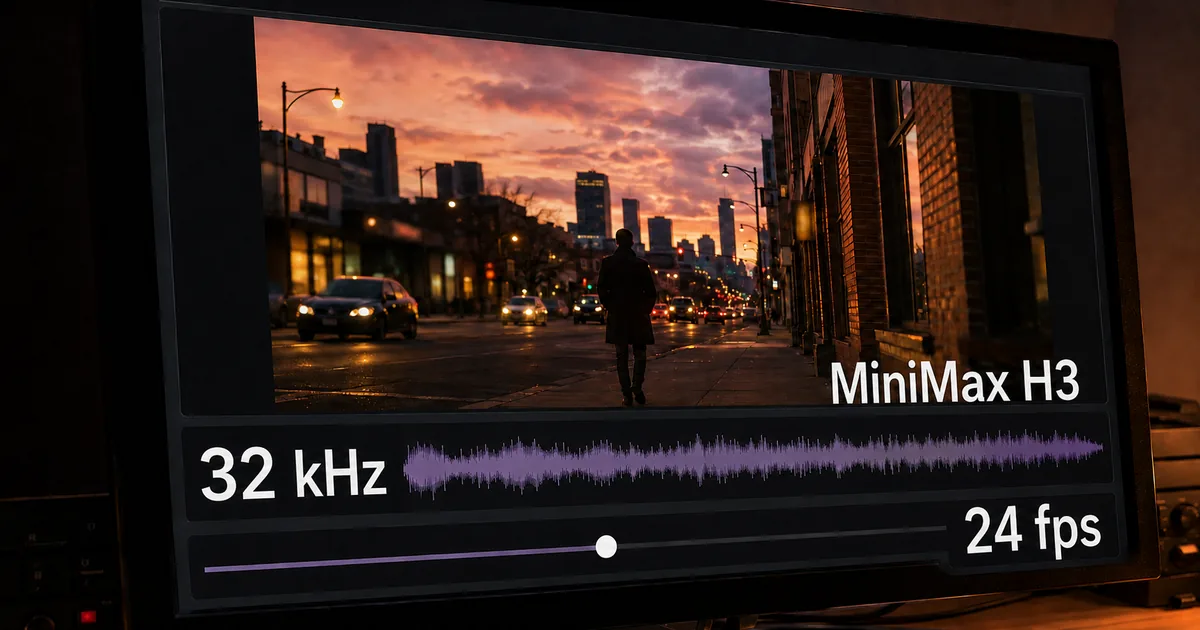
MiniMax H3 Video Model: 2K Clips With Audio
MiniMax H3 video model published its weights on 2 August 2026: 4 to 15 seconds at 24fps with 32kHz stereo, and a licence excluding the US, EU and UK.

Samsung Smart Glasses Run Gemini, Out This Autumn
Samsung smart glasses arrived at Galaxy Unpacked with Gemini built in: Snapdragon AR1 Gen1, nine-hour battery, and the launch details still left blank.
Instagram AI Image Editing Pulled in Three Days
Instagram AI image editing by @-mentioning public accounts shipped on 7 July 2026 and was gone within three days. What it did, and why consent sank it.
Upload PDF to ChatGPT: 4 Ways and What Breaks
Upload PDF to ChatGPT four different ways, with the free and paid file limits, what to do about scanned pages, and how to handle a confidential document.
Browse other tool categories
Find tools by category to match your task.
Popular Reference Charts
Popular reference articles people search for often.