Image Compressor(JPG, PNG, WebP, GIF, BMP, HEIC)
Compress JPEG, PNG, WebP, and HEIC images. Adjust quality, remove Exif data, and convert formats.
Remove EXIF data
Strip location, camera info, and other personal metadata
Drop image files here
or
Supported formats: JPEG, PNG, WebP, GIF, BMP, HEIC — multiple files supported
What Is Image Compression?
Image compression is an online tool that reduces the file size of JPG, PNG, and WebP images. It's useful for improving website loading speed, meeting email attachment size limits, and saving storage space — anywhere you work with images.
sakutto.ai's image compressor uses WebAssembly technology to process everything in your browser. Your images are never sent to any server, so you can safely compress internal documents and personal photos. Batch processing of multiple files is supported.
Fine-tune the compression level to balance quality and file size for your specific needs — whether it's optimizing images for the web, lightening photos for social media, or shrinking files for email. Free, no sign-up required.
How to Compress Images
- Drag & drop image files or use the file picker to add them
- Choose a compression mode (quality-based or target size)
- Optionally enable Exif data removal
- Click "Start Compression" to compress
- Download files individually or as a ZIP archive
Features of sakutto's Image Compressor
- Privacy Protection
- Images are never uploaded to a server — all processing happens entirely in your browser
- Exif Data Removal
- Strip date/time, GPS location, camera info, and other personal metadata with one click
- Target File Size
- Specify a target size like "under 100 KB" or "under 200 KB" and quality is adjusted automatically
- Multi-Format Support
- Works with JPEG, PNG, WebP, GIF, BMP, and HEIC (iPhone photos)
- Format Conversion
- Convert to WebP or JPEG for even smaller file sizes
- Quality Control
- Three compression presets plus a detailed quality slider for fine-tuning
- Batch Processing
- Compress multiple files at once and download them as a ZIP
- No Sign-Up Required
- Start using the tool immediately — no account needed
Use Cases for Image Compression
Websites & Blogs
Reduce image file sizes to improve page load speed. Great for boosting your SEO scores.
Email Attachments
Compress images that exceed email attachment limits. Use target-size mode to ensure your files stay under the limit.
Social Media & Chat
Quickly compress high-resolution photos for faster uploads and sharing. Remove Exif data to prevent location leaks.
Exif Data Removal
Strip GPS coordinates and camera metadata to protect your privacy. You can also remove Exif data without compressing.
Why Image Compressor on sakutto is safe
Many online tools upload your files to external servers for processing. This tool never sends your image files to any server — everything is processed entirely in your browser.
* Some AI-powered tools require server-side processing. Tools that send data to a server will always notify you beforehand.
| Comparison | Typical online tools | sakutto |
|---|---|---|
| Where data is sent | Uploaded to external servers | Nowhere — processed in your browser |
| Data leak risk | Risk during transfer and server storage | No risk — no network transfer occurs |
| External traffic | File data travels over the internet | No file data appears in network logs |
| Offline use | Not possible (server required) | Works offline after initial load |
How browser-based processing works
- WebAssembly (WASM): Processes image files in your browser at near-native speed. No server communication occurs.
- Web Workers: Runs on a background thread separate from the main thread, so your browser stays responsive during processing.
- After processing, your browser automatically frees the data from memory. No image files remains outside your device.
For IT security teams: How to verify
You can verify that sakutto never sends your image files externally by checking the Network tab in your browser's DevTools while using the tool. You'll see that no requests involving your image files are made. This can also serve as documentation for your IT security team.
Image Compressor FAQ
Are my files uploaded to a server?
No. All processing is done entirely in your browser — your image files are never sent to any external server. You can safely use this tool even with images containing personal information.
What image formats are supported?
JPEG, PNG, WebP, GIF, BMP, and HEIC (iPhone photos) are supported. You can also convert to WebP or JPEG during compression.
How much compression can I expect?
Results vary by image type and content, but typically JPEG images can be reduced by 30–60% and PNG images by 50–80%. You can choose from three compression levels.
What happens to the image quality after compression?
You can choose from three compression levels: "Low" maintains near-original quality with minimal optimization, "Standard" offers the best balance of quality and size, and "High" minimizes file size as much as possible.
How many files can I compress at once?
The free version supports up to 5 files per batch (max 5 MB each). The Pro plan (coming soon) will remove these limits.
What is Exif data, and what happens if I remove it?
Exif data is metadata embedded in photos that includes date/time, camera model, and GPS coordinates. Removing it reduces file size and prevents location and personal information from being exposed when you share images online. It has no effect on how the image looks.
Can I compress to a specific file size?
Yes. Select "Target Size" mode and choose a target like 50 KB, 100 KB, or 200 KB. The quality is automatically adjusted to keep the file under your specified size — ideal for email attachment or web hosting limits.
How does this compare to TinyPNG?
sakutto processes files entirely in your browser — nothing is uploaded to a server, so your privacy is fully protected. It also supports HEIC format, format conversion, Exif removal, and target file size mode.
Related Articles
All articles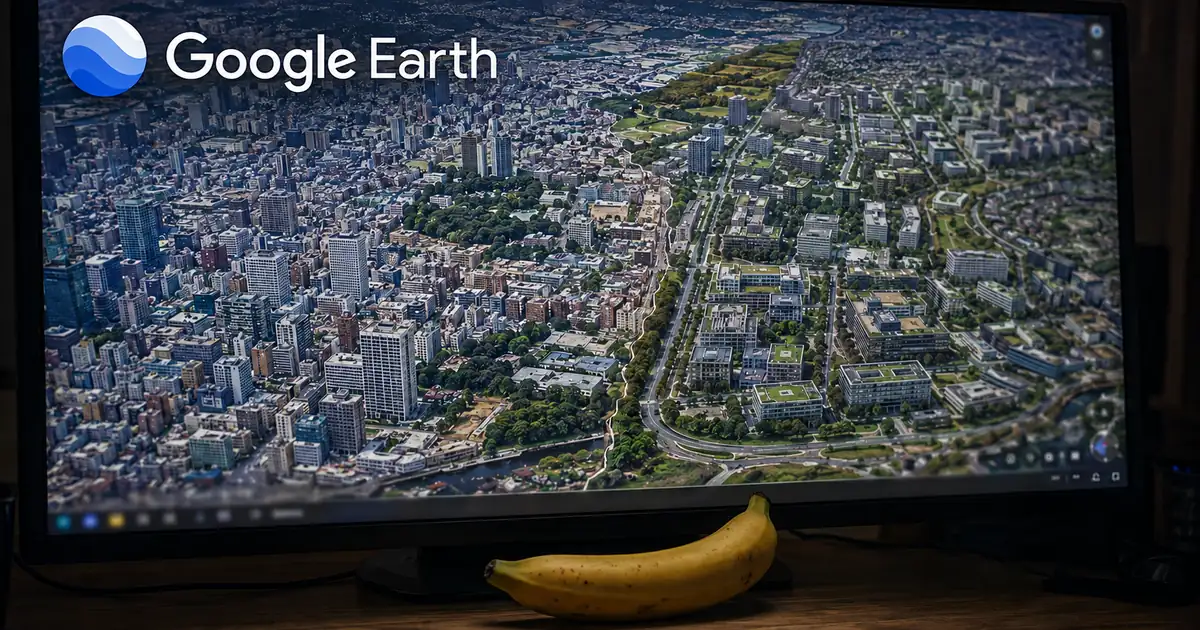
Why Google Earth's Generative AI Feature Was Pulled a Day After Launch
Google added image generation to Google Earth on July 30, 2026 and rolled it back on the 31st. Here is what the Nano Banana 2 feature did, the reason Google gave for pulling it, and why a watermark and a private view were not enough to stop the problem.

Samsung Unveils Gemini-Powered Smart Glasses, Out This Fall
Samsung introduced its intelligent eyewear at Galaxy Unpacked. Here is what Gemini enables, the specs including Snapdragon AR1 Gen1 and nine-hour battery life, and what is still unannounced about launch and price.

Meta Pulls Instagram's @-Mention AI Image Editing After Consent Backlash
The Muse Image feature Meta launched on July 7, 2026 — editing AI images by @-mentioning public Instagram accounts — was pulled within three days. Here's what it did, why it drew backlash over consent and notice, Meta's statement, and what remains of Muse Image.
PP-OCRv6: Accuracy, Speed, and How to Use the 50-Language OCR Model
A clear, source-based guide to PaddleOCR's latest PP-OCRv6: how it works, its 50-language unified model, accuracy benchmarks, inference speed, and how to install it with pip.
How to Batch Convert HEIC Files | Efficiently Convert Hundreds of iPhone Photos to JPG
Learn how to batch convert large numbers of HEIC files to JPG at once. Discover techniques and tips for efficiently converting dozens to hundreds of iPhone photos.
How to Stop iPhone from Saving Photos as HEIC and Use JPG Instead
Learn how to change your iPhone camera settings to save photos in JPG instead of HEIC. Compare the pros and cons of HEIC vs. JPG and find the best setting for your needs.
Related Tools
Image Tool List →PDF to JPG Converter
Turn every page of a PDF into a JPG image, at the resolution you pick. Need PNG instead? There's a separate tool for that.
PDFPDF to WebP Converter
Convert PDF pages to WebP — roughly a third smaller than the same page as a JPG.
PDFPDF to PNG Converter
Convert PDF pages to PNG with no quality loss — the right choice for text, charts, and anything with fine detail.
PDFExtract Images from PDF
Pull the actual photos, charts, and logos out of a PDF at their original resolution — not screenshots of the pages.
ImageJPG to PDF Converter
Turn phone photos and scans into one PDF. Set the order, pick a page size, done.
ImagePNG to PDF Converter
Convert PNG screenshots and design files to PDF. Transparent areas come out white.
ImageWebP to PDF Converter
Got a WebP that something won't open? Convert it to a PDF anything can read.
ImageImage to PDF Converter
Mixed pile of JPG, PNG, WebP, GIF, and BMP? Put them all in one PDF, in any order.
ImageImage Resizer
Resize images to exact dimensions. Includes presets for social media covers and ID photos.
ImageHEIC to JPG/PNG/WebP Converter
Convert iPhone HEIC photos to JPG, PNG, or WebP. Batch conversion with quality control.
ImageWebP Converter
Convert images to WebP or WebP to JPG/PNG. Reduce file size with modern web-optimized format.
ImagePNG ⇔ JPG Converter
Convert between PNG and JPG formats. Adjust quality and handle transparent backgrounds.
ImageImage Cropper
Crop images with freehand selection, fixed aspect ratios, or social media presets.
ImageImage Blur & Mosaic
Apply mosaic, blur, or black-out effects to hide sensitive areas. Brush and rectangle selection tools.
ImageImage Fill & Paint
Fill areas and paint on images with bucket fill, brush, and eyedropper tools. Copy HEX/RGB color codes.
ImageBackground Remover
Free online background remover. Click the background color to make it transparent and save as PNG. Runs fully in your browser — your image is never sent to a server.
Browse other tool categories
Find tools by category to match your task.
Popular Reference Charts
Popular reference articles people search for often.