What Offline Translator Is
The basics
Offline Translator does the whole job inside the phone. Start with how it works and what it can take on.
Translation That Finishes on the Device
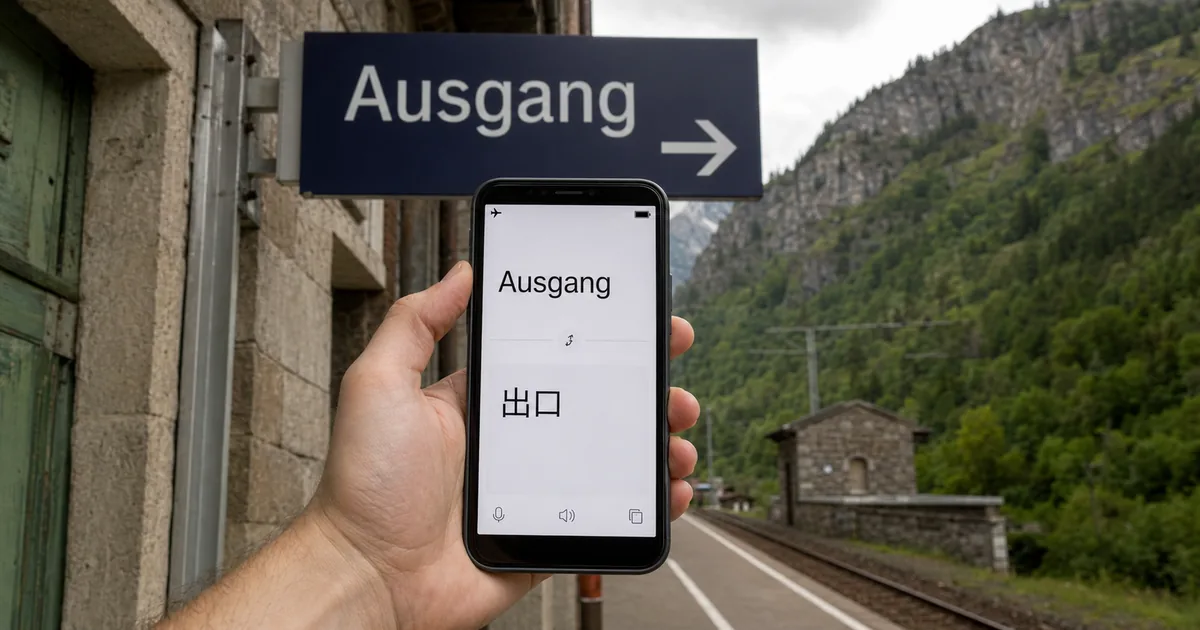
Offline Translator is an Android app that translates text, PDF and ODT documents (the document format used by LibreOffice and similar tools), and images completely offline, using models stored on the device. Nothing you translate goes to a server on the internet, so confidential material and personal paperwork stay where they are.
"An Android translator app that performs text, PDF/ODT documents and image translation completely offline using on-device models." / "Supports automatic language detection and transliteration for non-latin scripts. There's also a built-in word dictionary." — official repository README
It also detects the language automatically, transliterates non-Latin scripts into a more readable form, and includes a word dictionary. Looking a word up does not send you anywhere else either.
Languages and File Types
The official repository lists 60 language entries. Alongside East Asian languages such as Japanese, English, Chinese (Simplified and Traditional), and Korean, the list includes languages with different writing systems, such as Arabic, Hindi, and Uyghur.
What it can take is below. You can type directly, or hand content over from another app by sharing it.
| Target | How to invoke it |
|---|---|
| Text | Share from any app, or type directly in the app |
| Text (mini popup) | Long-press text in another app, then tap "Translate" in the copy/share bar |
| URL | Share a link from another app |
| Image | Share an image from another app |
| Document (PDF / ODT) | Open the documents tab inside the app |
| Dictionary lookup | Long-press a word inside the app |
<OfficialSource name="Offline Translator repository README, "Features & How to Use" table" url="https://github.com/DavidVentura/offline-translator">"Translate text | Share text from any app, or type directly" / "Translate text (mini popup) | Long-press text on any app → tap "Translate" in the copy/share bar" / "Translate a document | Open the documents tab inside the app" — feature table in the official repository README
The F-Droid listing sets out the features and requirements in one place. Image translation overlays the result while preserving the original formatting, and text-to-speech is available for most languages. The license is GPL-3.0 or later (an open-source license that permits use, modification, and redistribution), and it requires Android 6.0 or later.
"• No internet required for translation once models are downloaded / • Image translation overlay that preserves original formatting (OCR) / • PDF/ODT file translation / • Text-to-speech (TTS) for most languages / • Automatic language detection / • Transliteration of non-latin script" / "Supports 60 languages:" / "GNU General Public License v3.0 or later" — F-Droid listing (version 0.8.2, added 23 July 2026)
How It Runs Without a Connection
It works offline because the language packs contain the translation models themselves. Download once, and translation keeps working with no internet from then on.
<OfficialSource name="Offline Translator repository README, "How It Works"" url="https://github.com/DavidVentura/offline-translator">"Complete offline translation - download language packs once, translate forever without internet. Language packs contain the full translation models, translation happens on your device, no requests are sent to external servers." — "How It Works" section of the official repository README
The components are documented as well. Translation uses Firefox's translation models, text recognition from images (OCR, optical character recognition) uses PaddleOCR, automatic language detection uses cld2, and the dictionary is built from Wiktionary data. For Japanese there is a second dictionary, Mecab, included to transliterate Kanji.
<OfficialSource name="Offline Translator repository README, "Tech"" url="https://github.com/DavidVentura/offline-translator">"Translation models are Firefox' translations models" / "OCR models are PaddleOCR" / "Automatic language detection is done via cld2" / "Dictionary is based on data from Wiktionary, exported by Kaikki" / "For Japanese specifically, there's a second "word dictionary" (Mecab) for transliterating Kanji" — "Tech" section of the official repository README
Naming every component is something open source makes possible. Because the internals are visible, you can confirm for yourself what never leaves the device.
How to Use Offline Translator
Getting started
Three steps and you are set. Once the language packs are in place, connectivity stops mattering.
Installing and Preparing Language Packs
You get it from F-Droid, a distribution site for open-source Android apps, which the official repository points to. Android 6.0 or later is required.
After installing, download the language packs you want. This is the one step that needs a connection. Do it before you leave, and translation still works where the signal does not.
There is also a path for devices with no internet access at all. The official README says you can place the language files in Documents/dev.davidv.translator.
<OfficialSource name="Offline Translator repository README, "Manual offline setup"" url="https://github.com/DavidVentura/offline-translator">"If you want to use this app on a device with no internet access, you can put the language files on Documents/dev.davidv.translator." — "Manual offline setup" section of the official repository README
Calling It Up in Different Situations
Day to day, sharing from another app is the common route. Reading foreign news and want it translated? Share the link. Foreign text inside a photo? Share the image. Nothing has to be opened and pasted, so your reading is not interrupted.
The mini popup is particularly handy. Long-press text in another app and tap "Translate" in the copy/share bar, and the translation appears in place. It suits checking a single word or sentence without moving between screens.
For documents, open the documents tab inside the app. PDF and ODT are supported, and image translation overlays the result while the original appearance stays intact.
Dictionary and Speech Settings
Long-press a word inside the app to look it up. The dictionary data comes from Wiktionary, which helps when you only want the meaning of one word rather than a whole translated passage.
To change the voice or speed of text-to-speech, long-press the play button. For language study, where you want to hear how a translated sentence sounds, that speech feature doubles as practice.
Limits and When to Use Something Else
Where it fits, and where it does not
It is free and capable, but not universal. Both sides are worth stating.
The Upside Is Privacy and No Connection
The main benefit is that what you translate never leaves. Cloud translation services send your input to a server. Offline Translator finishes the work on the device, so that concern does not arise. Contracts and internal documents you would hesitate to paste into an outside service are fair game.
Needing no connection has practical value too. On a plane, underground, or roaming abroad, it simply works. It consumes no data, which matters on metered connections.
What to Watch For
First, no iOS version is announced officially. Distribution is Android only, and it requires Android 6.0 or later. iPhone users need another option.
Second, storage. Language packs contain the models themselves, so every additional language takes more space. Installing only the languages you use is the realistic approach.
Third, the character of the translation. A lightweight model running on a phone is aimed at a different job than a large cloud AI reading long-form context. For words, short sentences, and getting the gist of a document it is enough; for the final draft of something you intend to publish, it is not the right tool.
How It Differs From Google Translate's Offline Mode
Offline translation brings Google Translate to mind for many people, and Google Translate can also work without a connection once languages are downloaded.
"You can download languages onto your device. This lets you translate them without an internet connection." — Google Translate official Help
The differences show up in what each can handle and how the software is built.
| Aspect | Offline Translator | Google Translate |
|---|---|---|
| Publisher | Individual developer (David Ventura) | |
| License | Open source, GPL-3.0 or later | Not published (governed by the provider's terms) |
| Platform | Android only | Android and iOS |
| Offline translation | Works with no connection after language packs are installed | Works with no connection once languages are downloaded |
| Internals | Published (Firefox translation models, PaddleOCR, and others) | Not published |
"Not published" here means Google does not disclose the internals or a license, not that either app is better. If you want a rule of thumb: Offline Translator for translating whole documents or when you need to verify what the software does, Google Translate when you want convenience across iPhone and Android. Keeping both and switching based on how sensitive the document is works fine too. For sizing up text volume beforehand, see character count and SEO.
Conclusion
Offline Translator suits anyone who wants translation to stay inside their own device. Install a language pack once and no connection is needed, and it covers images and PDF documents as well as plain text. Because the internals are published, you can verify what never leaves the phone.
The counterweights are the absence of an iOS version, the storage language packs require, and translation that behaves differently from a large cloud AI. Sensitive documents and weak networks call for this app; convenience-first situations still favour the established cloud services.
When you want to read an English web page in bulk, tidying the page into a readable form before translating cuts down on rework.