The four axes for sharing in a wine management app
Sharing inventory is not a yes-or-no property. Two apps that both "support sharing" can differ completely in setup effort and in what the other person can do.
Four axes for sharing features
The invitation method changes the effort
The steps for starting to share differ more than you would expect. Some are done by showing a QR code; others need the other person's account name in advance and setup from a computer.
For two family members that is a one-off. In a restaurant with staff turnover, it recurs every time. If the steps are heavy, sharing does not happen and everyone returns to the paper stock sheet.
Whether permissions can be narrowed
What the other person can do maps directly onto how easily things go wrong. Everyone able to delete, versus everyone able only to view, produce completely different levels of tension in daily use.
If you want floor staff to see stock while only the sommelier corrects counts, whether the access level can be adjusted becomes a selection criterion.
Whether a change history exists
Where several people touch the same stock, discrepancies are inevitable. The history is what gives you a lead. If you run monthly stocktaking, this difference converts straight into working hours.
Free tiers and headcount
Whether sharing requires a paid plan for everyone, or lets you add people to one subscription, is also designed differently by service. Two people at home and five in a restaurant feel that difference directly in cost.
Comparing the major apps
Here are the major apps across the four axes. A general comparison including pricing and bottle limits is covered in "Best Wine Inventory Apps Compared: Which Ones Track Shelf Position."
| App | Invitation | Permissions granted | Change history | Intended for |
|---|---|---|---|---|
| Shelvin | Show a QR code | Shares cellar information | Not stated officially | Family and restaurants (team sharing is Premium) |
| CellarTracker | Other person's user ID / handle, desktop site | Complete control (add, edit, delete; viewing governed by privacy settings) | No detailed audit log. The account that changed something is recorded in the transaction log | Families and couples |
| InVintory | Add as a collaborator | Access level adjustable | Not stated officially | Families and wine managers |
| winecode | Invite staff | Simultaneous operation by group | Chronological history recorded automatically | Restaurants and professional use |
Shelvin: invite with a QR code
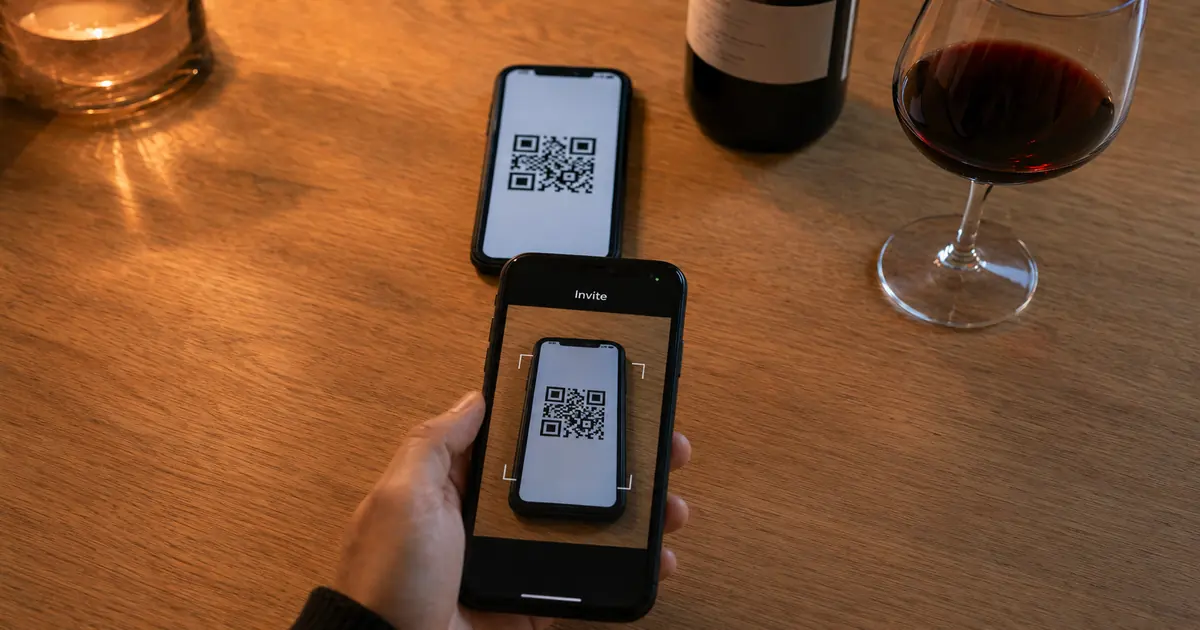
Shelvin shares by showing the other person a dedicated QR code. There is no need to ask for their account name in advance; it finishes on the spot. Whether showing family or adding staff at a restaurant, it is among the shortest paths.
The official site also shows restaurants sharing stock in real time across all shop employees. On the pricing table, though, team sharing sits on the Premium side, so using it across a restaurant assumes a paid plan. The free plan covers 16 bottles and label scanning twice a week.
QR code invitations: simply show the other person a dedicated QR code and they can register easily and share wine cellar information.
QR code invitations: simply show the other person a dedicated QR code and they can register easily and share wine cellar information. — From the sharing and invitation feature description
Team and store sharing: share stock in real time across all shop employees. Grasp back-of-house stock smartly even while serving customers./Free ¥0 Up to 16 bottles Label scanning (up to 2 per week) Cellar position management Ads shown/Premium ¥500 / month Unlimited bottles Label scanning (up to 50 per month) Team sharing No ads — The first is from "Main features," the second and third from the Free and Premium entries under "Pricing"
CellarTracker: hands over complete control
CellarTracker shares through "account sharing," which grants the other person complete control of your cellar. According to official support, the person you share with can add, edit, and delete bottles and tasting notes.
Setup needs their user ID or handle and happens on the desktop site. Official support explains that privacy settings control who can view information about your cellar, while account sharing sits above that and hands over complete control. In other words, account sharing itself has no gradations, which naturally limits who you extend it to.
On records of change, CellarTracker states that it does not maintain detailed audit logs but does track the actual user account that made a change in the transaction log. You can tell who touched something, but not the detail of what they changed. The app's only supported language is English, and the language field on the Japanese App Store lists English alone.
Additionally, while CellarTracker does not maintain detailed audit logs, we do track the actual user account that made a change in the transaction log.
Your privacy settings control which users can view information about your cellar; with account sharing, you can allow specific users to have complete control over your cellar, including the ability to add, edit and delete bottles and tasting notes/Additionally, while CellarTracker does not maintain detailed audit logs, we do track the actual user account that made a change in the transaction log. — The first passage opens the account sharing explanation, the second is from the closing "Notes" on change records
言語 英語 — From the App Store "Information" panel, listing English as the only language
InVintory: the access level can be adjusted
InVintory states that you can add collaborators or family members and adjust the access level. Of the four axes, this is where a clear strength sits on "can permissions be narrowed."
The cost handling is equally clear. Official material states that if you want to share your collection you do not have to pay for two separate Premium or Elite accounts; you add the person as a collaborator. More people to share with does not mean more subscriptions. Note that 3D visualization of shelf position is limited to paid plans, and Japanese language support is not stated officially.
Yes, if you'd like to share your collection with someone, you do not have to pay for two separate Premium or Elite accounts. Just add them as a collaborator to your account.
Add collaborators — Add collaborators or family members and adjust access level/Yes, if you'd like to share your collection with someone, you do not have to pay for two separate Premium or Elite accounts. Just add them as a collaborator to your account. — From the material on sharing and collaborators
winecode: professional use, with history included
winecode is designed for restaurants, managing wine by group so that multiple staff can operate it simultaneously. Every invited staff member accesses the same data in real time, and all changes are recorded automatically as a chronological history.
Among the apps compared, winecode and CellarTracker are the two that present a change record as a feature in its own right. Where several people handle stock in a restaurant, that becomes the deciding factor. The full practice of wine inventory in restaurants is covered in "Wine Inventory for Restaurants: Stocktaking and Sharing With Staff."
Wine is managed by group, and multiple staff can operate it simultaneously.
Wine is managed by group, and multiple staff can operate it simultaneously./All changes are automatically recorded as a chronological history. — From the explanation of group management and history
Choosing differs between home and restaurant
Under the same word "sharing," home and restaurant reverse the priorities. Deciding which case you are in narrows the candidates first.
Which axis matters, by use case
Using it with family
With one or two fixed people, the need for history drops. What matters is ease of invitation and whether it works in the language everyone reads.
Note that winecode's official pricing table places team sharing and change history inside the free plan. If you would rather not pay for sharing features, it belongs on the list.
CellarTracker is clear as a sharing mechanism, but the app supports English only. That is a wall when sharing with family who are not deep into wine. Choosing something that works in your language and invites by QR code raises the odds that the other person actually opens it.
Yes. The free plan requires no credit card registration, and you can use all the basic features free of charge, including wine list management, barcode management, team sharing, and web publishing.
Team sharing and change history Free ✓ Pro ✓/Yes. The free plan requires no credit card registration, and you can use all the basic features free of charge, including wine list management, barcode management, team sharing, and web publishing. — The first is the relevant row of the pricing comparison table, the second an answer from the FAQ
Using it in a restaurant or on a team
In a restaurant the priorities invert. What rises to the top is a history that persists and permissions that can be narrowed. When floor staff delete a count by mistake, without being able to trace when and by whom, every stocktake accumulates gaps with no explanation.
On top of that, staff turnover makes the invitation and revocation flow impossible to ignore. Invitation by QR code cuts the number of steps there. Services designed for professional use carry history as standard, but since they cover wine only, seeing all your ingredients through one system means running a general inventory system alongside.
What to settle before you start sharing
Some things are better decided before choosing a service, because they keep the workflow from falling apart later.
Three things to settle before sharing
The second one only becomes a problem once you share. Alone you stay consistent inside your own head; with several people the interpretations diverge and the counts stop matching. Start sharing without setting the rule and sharing is what makes the numbers untrustworthy.
If you want to cut the registration effort itself, choosing a service with label-photo auto-entry is an option. Since AI reading involves inference, though, sharing means designing it together with a verification step. That is covered in "How Accurate Is AI Wine Label Scanning? What It Does and Where It Stops."
Summary
Sharing in a wine management app is chosen not on whether it exists but on how it is designed. The axes are invitation method, permissions granted, change history, and how pricing works.
CellarTracker's account sharing hands over complete control, with no gradations in sharing itself. It keeps no detailed audit log, though the account that made a change is recorded in the transaction log. InVintory adjusts collaborators' access levels, and more people to share with does not mean more subscriptions. winecode, built for professional use, carries group-level simultaneous operation and chronological history as standard. Shelvin invites by showing a QR code, among the shortest paths there is.
At home, ease of invitation and language support; in a restaurant, history and permissions. The priorities swap with the use case. And whichever you pick, failing to settle when stock comes off the list means sharing is what stops the numbers adding up.
To share stock with family or restaurant staff and show which tier of the shelf a bottle is on, starting from Shelvin (App Store), whose free tier includes position management, lets you compare right down to the invitation flow.