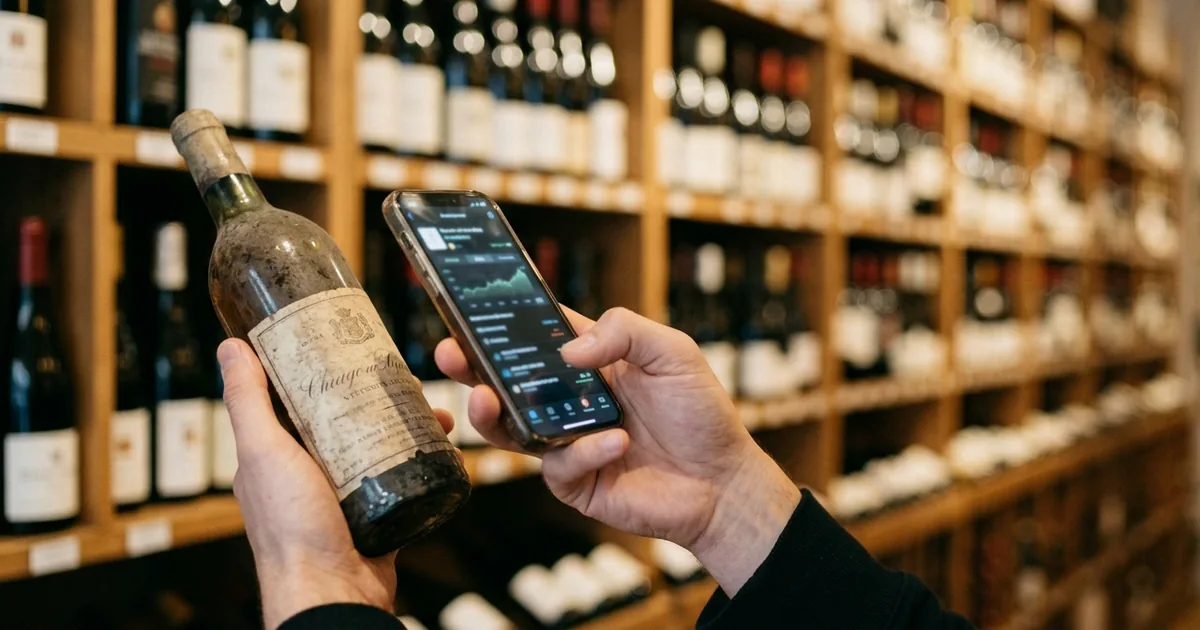
What CellarTracker Is: One of the Largest Wine Databases
CellarTracker lets you build your own cellar inventory and drinking history on top of an enormous wine database that users have contributed to over two decades. It started in 2003 as a website, with the mobile app arriving later, and that order of arrival still shows in how it feels to use.
The big picture of this section
It records both the wine you drank and the wine you are storing
The official support documentation states the positioning plainly.
CellarTracker is a tool that you can use to track the wines you have tasted as well as the wines you are storing.
CellarTracker is a tool that you can use to track the wines you have tasted as well as the wines you are storing. It provides numerous fields to let you track as little or as much data as you want about your wine collection and tasting history. — From the opening definition of the service
Handling your tasting history and your remaining inventory in one place is the core design. There are many fields available, and how much you fill in is left to you.
At its center is a database users built
Almost every action in CellarTracker starts with a database search. Because you can pull up a wine another user already entered, you rarely type specifications yourself.
At the core of CellarTracker is a very comprehensive database of more than 3 million wines.
At the core of CellarTracker is a very comprehensive database of more than 3 million wines. Generally speaking, most wine enthusiasts will find about 99% coverage using the existing wine database. — From the shared database explanation
Note that this wording comes from a page last updated in 2021, while another official page describes more than 4.5 million wines. The count keeps growing, so treat any figure in an article as an approximation.
An app for managing, not for discovering
It is easy to confuse CellarTracker with apps like Vivino, where you photograph a label to look up a score. The subject of CellarTracker is the inventory in front of you: register a bottle you bought, remove it when you drink it, and leave a note. That loop is the usage pattern.
Which means it feels oversized while you own only a handful of bottles. The value of the records rises sharply somewhere past thirty bottles, when remembering what you own stops being reliable.
It Does Not Support Other Languages: Does That Matter
For readers outside English-speaking markets, the first thing to confirm is language support, and the official listings are unambiguous here.
The reality of language support
The App Store Languages field lists only English
The information table on the App Store listing carries a single entry.
English
English — From the "Languages" row of the app information table
The description text also stays in English on non-English storefronts. Decide on adoption assuming every field name and menu will be in English.
The translated Google Play description is misleading
On Google Play, by contrast, the description appears in the local language in some regions, including Japanese.
CellarTrackerは、5つ星中4.9の評価、1,360万件以上のワイン評価とレビュー、そして世界中で880万人以上のユーザーを誇る、最高評価のワインアプリです。
CellarTrackerは、5つ星中4.9の評価、1,360万件以上のワイン評価とレビュー、そして世界中で880万人以上のユーザーを誇る、最高評価のワインアプリです。 — From the opening of the store description on the Japanese storefront
The quote above is the Japanese storefront copy, presented in the original rather than translated, because the point is precisely that this text is localized while the app is not. Reading a translated store page and concluding the app is localized leads to confusion after installing. Note also that the ratings and user counts in that description are figures CellarTracker states about itself; the actual store rating is 4.9 from about 12,000 ratings on the US App Store, and 4.4 on Google Play.
The official advice is to type as little as possible
The reason the English interface is not a heavy burden is that most input is search. The common mistake is trying to type a wine's full formal name. The official guidance recommends the opposite.
It is most efficient to type as little as possible, just the first few characters of the critical words (e.g. the name of a winery, the variety, the appellation, the vineyard)
All wine-related actions on CellarTracker begin with searching the database. It is most efficient to type as little as possible, just the first few characters of the critical words (e.g. the name of a winery, the variety, the appellation, the vineyard), so that you are most likely to find and match an existing wine. — From the guidance on searching
Typing the first few characters of a producer's name and picking from the candidates is the intended flow. Because the database is shared in Latin-script notation, searching in a non-Latin script such as Japanese will not find the wine, which is worth knowing up front.
How to Use CellarTracker: Four Ways to Add Bottles
Whether the effort of adding bottles is sustainable decides whether you keep using a service like this. CellarTracker offers four entry points.
The flow for adding bottles
Four entry points for adding bottles
For adding bottles from the app, the official documentation lists three methods, with receipt forwarding described separately.
There are three different ways to add bottles to you cellar via mobile app. You can use search, label image, or scan barcode.
There are three different ways to add bottles to you cellar via mobile app. You can use search, label image, or scan barcode. — From the section on adding via the mobile app
Receipt forwarding is the one that pays off after a bulk purchase. Forward the confirmation email and you can finish the import later at a desktop.
You can forward wine purchase receipt emails using any device (mobile or desktop). Once receipts are forwarded, you can use the desktop app to finalize the upload.
You can forward wine purchase receipt emails using any device (mobile or desktop). Once receipts are forwarded, you can use the desktop app to finalize the upload. — From the section on adding via receipts
Label photography is not infallible
Photographing the label is convenient, but it does not always land on the right bottle. The official documentation says so directly.
Sometimes, we won't get it exactly right
When searching by label, the app attempts to automatically identify the wine, and search CellarTracker's vast database to find the correct match. Sometimes, we won't get it exactly right – and in those cases, we've tried to make it easy for you to get to the right one quickly and easily. — From the explanation of how label search works
Because the same wine appears across many vintages, using it on the assumption that you will confirm the year and re-pick after the photo cuts down on mismatches.
Decide your locations and bins first
CellarTracker works with the concepts of a storage Location and, within it, a Bin. Filling these in lets you trace where a bottle went later. Trying to reconstruct storage spots for several hundred bottles after the fact is not realistic, so settling them before you start registering is the easier path.
A new app and a legacy app exist side by side
Searching the store can turn up two generations of the app. The legacy one no longer accepts new downloads.
With the launch of our new app, we are no longer investing in or accepting new downloads of the legacy app.
With the launch of our new app, we are no longer investing in or accepting new downloads of the legacy app. We plan to keep the legacy app running in parallel to the new app until the time is right to deprecate it. — From the section on how the legacy app is handled
Data is tied to your account, so switching apps requires no migration work.
Pricing: The Free Tier, and Site Versus In-App
The confusing part of CellarTracker's pricing is that both the currency and the billing period change depending on how you pay.
What is free versus what a subscription unlocks
| Feature | Free | Paid |
|---|---|---|
| Cellar inventory management | Yes | Yes |
| Reading community tasting notes | Yes | Yes |
| Viewing community scores | Yes | Yes |
| Market and auction values | No | Yes |
| Automatic cellar valuation | No | Yes |
| Drinking windows across nearly all wines | No | Yes |
| Drinking-window alerts | No | Yes |
| Printing barcode labels | No | Yes |
Inventory management itself is free, with no bottle limit
It is easy to miss, but the central function, recording your inventory, sits inside the free tier.
CellarTracker is a free site/app with paid subscription to access additional features. Subscription pricing is based on your cellar size.
CellarTracker is a free site/app with paid subscription to access additional features. Subscription pricing is based on your cellar size. However, you can always select a different payment amount, and there is no penalty for exceeding the cellar size for your purchased tier. — From the explanation of the pricing model
If recording inventory and reading community scores is all you want, you can stay on the free tier indefinitely. Paying starts to matter when you want a cellar valuation derived from market prices, or comprehensive drinking-window coverage.
Annual dollars via the site, local currency in the iOS app
Paying through the official site means an annual fee scaled to cellar size: $40 up to 100 bottles, $60 up to 250, $80 up to 500, $160 up to 1,000, $320 up to 2,500, and $500 above that.
The iOS in-app purchases carry the same tier names at local-currency prices. On the Japanese App Store, for example, the tiers run ¥700 up to 100 bottles, ¥900 up to 250, ¥1,200 up to 500, ¥2,200 up to 1,000, ¥4,500 up to 2,500, and ¥7,000 above that. The official help describes iOS in-app purchases as monthly subscriptions.
All payments are in US dollars. Also, in our new app on iOS (iPhone and iPad) devices we also support monthly in-app subscriptions that are managed directly by Apple.
We support all major credit cards, PayPal, Venmo, Apple Pay, and Google Pay. All payments are in US dollars. Also, in our new app on iOS (iPhone and iPad) devices we also support monthly in-app subscriptions that are managed directly by Apple. — From the explanation of payment methods
The store listing itself does not state a billing period for each in-app item, so the store page alone cannot confirm whether a given local-currency tier is monthly. Site payments are annual and in dollars while iOS in-app purchases are in local currency, so the same "up to 100 bottles" tier can mean a different amount of money, which is worth checking before you subscribe.
Cancellation routes, and what happens to your data
Where you cancel depends on where you subscribed. If you signed up on the site, you stop renewal from "Manage Subscription." If you subscribed through the App Store, only Apple can cancel it.
This is not in CellarTracker app. It is in the Apple subscription management. We have no control over the subscription, so need you to cancel it with Apple directly
Please on your phone, navigate to Settings -> iCloud Profile -> Subscriptions and you should see CellarTracker and be able to cancel. Or go here on your Apple device to cancel your CellarTracker subscription. (This is not in CellarTracker app. It is in the Apple subscription management. We have no control over the subscription, so need you to cancel it with Apple directly). — From the procedure for cancelling an Apple-managed subscription
If payment lapses, the data you entered stays. The official documentation states that account data is never purged unless the user asks for it.
Summary
CellarTracker lets you record the wine you own on top of a database that users have built over more than twenty years. Inventory management and community scores are free with no bottle cap, so the natural order is to start free and consider paying once market values or a cellar valuation become necessary.
The app displays in English only. Since usage is mostly repeated search and count entry, the language rarely blocks you, but you cannot search in a non-Latin script, and you need to get used to narrowing candidates from the first few characters of a producer's name. If you want the interface in your own language, or you want to record which tier of which shelf a bottle sits on, a different app fits better.
For managing shelf position with a free tier that already includes it, Shelvin (App Store) is one option. Differences between apps are covered in "Best Wine Inventory Apps Compared: Which Ones Track Shelf Position," and if you are moving off a spreadsheet, see "Wine Inventory in Excel: Column Design and Where It Breaks."